Google SketchUp import DWG CAD for faster drawing
Google SketchUp Tutorial
5 Responses

Google SketchUp can import CAD drawing files (*. dwg) so that the overall drawing process becomes faster.
I find this feature in Google SketchUp 7 and no longer exists in version 8. With this feature you can import .dwg CAD (Computer Aided Design) drawing with good and the results are “snap”.
Import results from Google SketchUp 7 resulted in exactly with the original drawings on CAD software, including the units….. as long as it remembers to be adjusted when the import process. If not….. you need to adjust the scale again.

After import, check the dimensions….. if it’s appropriate. If not….. you need to customize it.

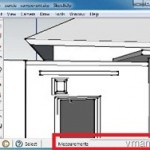
Look at this picture below that will show a “snap” at some point.

Because it is “snap”, you can easily draw on it and faster….. like drawing rectangle and then using Follow Me tool to make it into the walls.

Related Topics
Google SketchUp Tutorial: using of Array command to Copy object

Google SketchUp Tutorial: Make a truncated cone (the first way)

SlimComputer: eliminate unnecessary

Simple table of contents, it doesn’t need any plugins
Leave a reply to this post
Your email address will not be published. Required fields are marked *

5 Responses to “Google SketchUp import DWG CAD for faster drawing”
yes that command in sketchup is very helpful.. to make your work faster and precise…. Thanks to google sketchup.. great post!
Yes! I do this everytime I work for 3d drawings of my design ..for faster work, I use imports and export commands. Cool!
but I am no longer able to enjoy this feature in version 8
sama-sama
gaul bener kata-katanya
SIP!!!
tq bro 4 da tuto,